
HYPERCAM 7 TM

Enjoyed the free version?

Unlock HyperCam's full potential! No action limits, no program marks,
no purchase prompts. Quality tech support!

You may now save your video as MP4 AVC with new HyperCam, version 7,
and enjoy high quality screencasting, as always. All that with a 30% discount for just $39.95 $27.99 incl. VAT!

* The discount is applied to the initial billing period of the subsctiption.
Time left to buy:
10
minutes
00
seconds

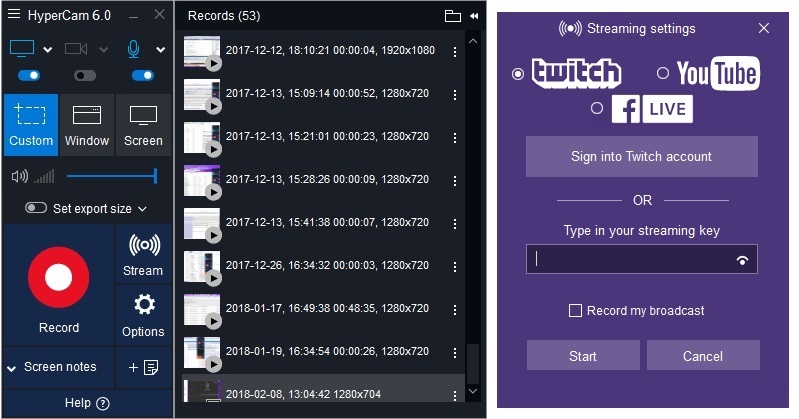
Capture your actions, grab movies or Skype calls - whatever happens on your screen may be worth recording!
Your free HyperCam is pretty cool but you are missing on unrestricted user experience and professional tech support.

Purchase the full version and remove these limitations:

  • Program log marks in output video files
  • Evaluation screen on program start
  • Permanent prompt window
  • Three actions (cut, join, etc.) per session only in HyperCam Media Editor

Editor's Choice:
«...HyperCam proved an impressive tool, and actually quite affordable, too».
Karsten Bunz:
«HyperCam is a reliable tool for recording activities from your computer screen».
C’t:
«For tutorials, commercials or presentations HyperCam records all actions within a program’s windows as video clip, including keyboard entries, mouse movements and clicks».

Product Info:

Version: 7

OS: Windows Vista/7/8/10/11
DirectX 8.0 Runtime or higher
The presence of AAC audio decoder for preview feature

Size: 56.1 Mb

Interface languages: English, German, Italian, Portuguese (Brazil), Russian, Turkish, Japanese

1
How to record an audio file
of WAV, WMA, MP3 format
2
How to record video and upload
it to YouTube with HyperCam
3
How to add webcam overlay
to the video with HyperCam
HYPERCAM 7 TM Buy NOW!