Esp
Esp  Jap
Jap  Chin
Chin HyperCam

«For tutorials, commercials or presentations HyperCam records all actions within a program's windows as video clip, including keyboard entries, mouse movements and clicks».
ct.nl

...HyperCam proved an impressive tool, and actually quite affordable, too.
cnet.com

HyperCam is a reliable tool for recording activities from your computer screen
chip.com
Our customers












screencasting easier
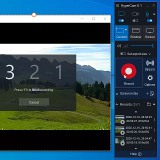
Record screen video
Capture your screen, microphone or stereo mix with authentic quality
Webinars recording
Record online conferences or webinars for future reference
Video & Audio Editor
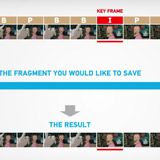
Cut and join your recordings right after screen capture - with the embedded media editor
Record Audio
Record from microphone, stereo mix or both and mix in MP3
Stream your screencasts
Post your game, webcam speech or tutorial on FaceBook, Youtube, or Twitch
Webcam capture
Record your camera with screen or separately
Make screenshots
Make a snapshot of your screen or window with a single click
Grab StereoMix channel
Record of what you hear at your PC without reboot while installing
Robust recording
Don’t lose recordings if your system fails
Changeable Hotkeys
Adjust hotkeys to your liking
Configurable Codecs
Achieve the best quality and performance with modern codecs and formats like H.264/AAC/MP4
Screen notes
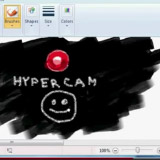
Add notes during recording, use shapes, text fonts, timers, macros and more
Portable Version
Use one license with as many PCs
as you need - with a USB stick
Multi-language interface
Choose the language at your convenience

Video presentations, grabbing a movie or game, recording Skype calls, tutorials, demo clips and etc.
codec
on the user's computer
 Eng
Eng
 Rus
Rus
 Ita
Ita
 Deu
Deu
 Por
Por
 Jap
Jap
How it looks
- Records system audio and mic
- Records desktop and webcam
- Saves recordings as MP4
- Includes Video Editor
All updates and upgrades are free of charge as long as the subscription stays active.
You can cancel your subscription at any time.
All updates and upgrades are free of charge as long as the subscription stays active.
You can cancel your subscription at any time.
How to activate HyperCam
How to move HyperCam to the other PC
- 2x higher FPS in recordings
- XDCAM writing (via MXF Plugin)
All updates and upgrades are free of charge as long as the subscription stays active.
You can cancel your subscription at any time.
All updates and upgrades are free of charge as long as the subscription stays active.
You can cancel your subscription at any time.
How to activate HyperCam
How to move HyperCam to the other PC
All updates and upgrades are free of charge as long as the subscription stays active.
You can cancel your subscription at any time.
All updates and upgrades are free of charge as long as the subscription stays active.
You can cancel your subscription at any time.
All updates and upgrades are free of charge as long as the subscription stays active.
You can cancel your subscription at any time.
All updates and upgrades are free of charge as long as the subscription stays active.
You can cancel your subscription at any time.
To claim the coupon code to use during checkout please contact us.