 Eng
Eng  Rus
Rus  Deu
Deu  Ital
Ital  Esp
Esp  Port
Port  Jap
Jap  Chin
Chin How to remove audio from video

By Olga Krovyakova - modified April 19, 2024, created March 18, 2019.
SolveigMM Video Splitter - is an excellent audio remover. With its help you can remove audio from video for free during the trial period, separate audio from video, remove voice from video, remove sound from mp4, delete the audio track, extract audio from video, remove unnecessary sounds from videos, etc. This is a program for those who say: “I want to do more than remove sound from video”.
How to remove audio from video with SolveigMM Video Splitter?
Don’t know how to remove audio from video? Our video editor will help you do this. Use it to make a video without sound, remove audio from avi, mp4, wmv, asf, mpg, vob, mpeg, remove low-quality sound, etc. And although this software is intuitive we suggest you familiarize yourself with the algorithm for simple actions.
Sequence of work with the app to remove sound from video
1) Download and install video editing tool - SolveigMM Video Splitter.
2) Open SolveigMM Video Splitter.
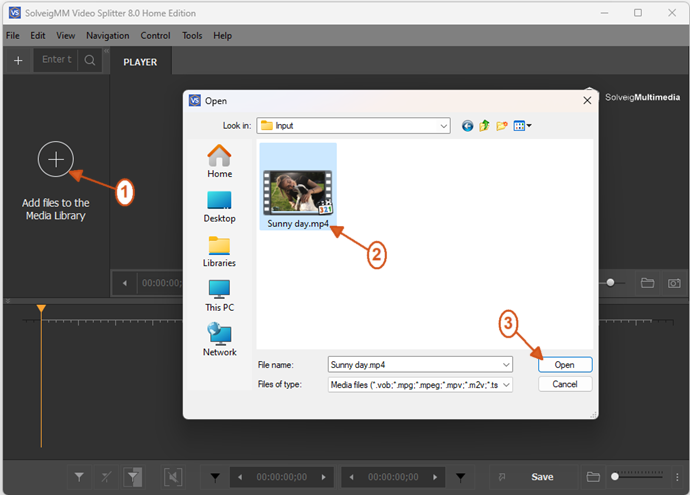
3) Open one or several files by clicking the button "Add files to the library" by dragging them into the program window from the folder or through the menu "File - Add multimedia files".
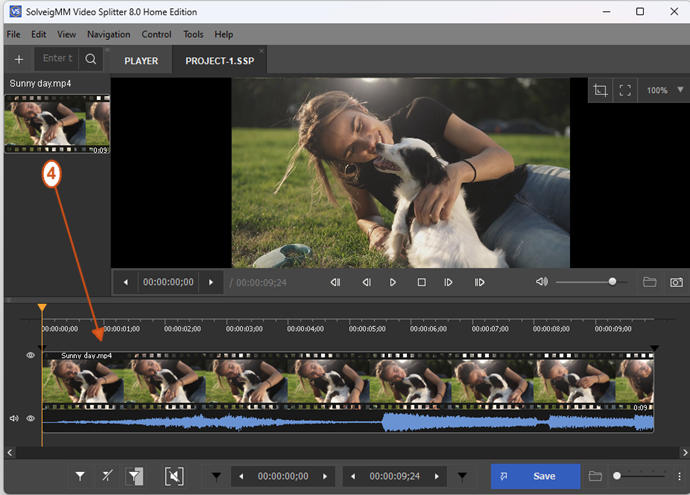
4) Drag one file or several files to the timeline.
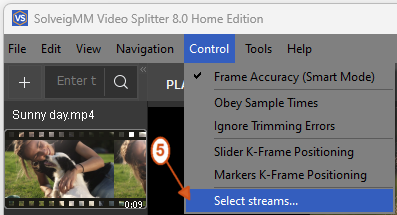
5) In the "Control" menu select the "Select streams ..." option.
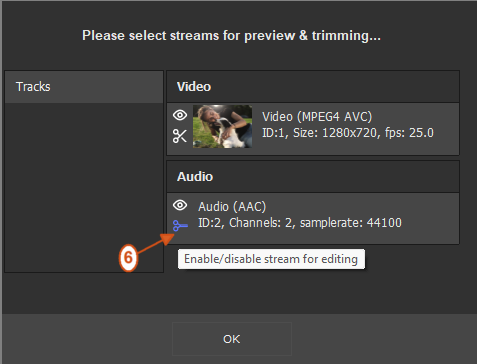
6) In section “Audio” click on the scissors icon (this will mean that the audio track will not be saved in the resulting video).
7) Select an interval to be deleted if necessary. To do this add markers that will indicate the beginning and end of the piece to be deleted.
8) Hover over the area between the indicated markers and click the scissors button.
If you want to remove sound from video completely skip these two steps and proceed to the next stage.
9) Click the button “Save”.
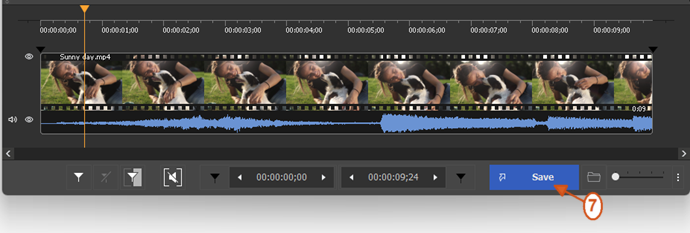
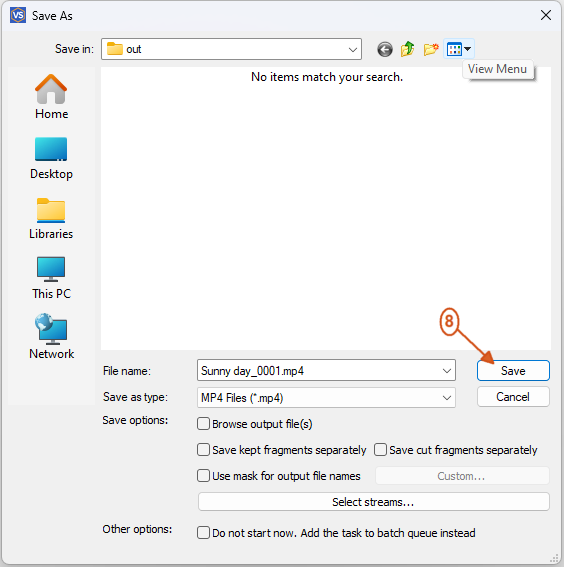
10) Select the file name and save path.
11) Click “Save”.
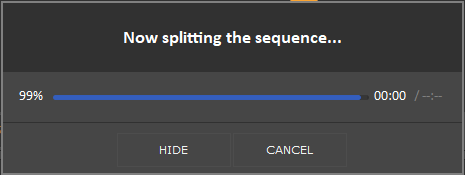
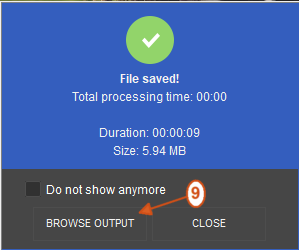
After these simple video sound remover actions the editing process will begin. When it finishes you will be prompted to open the folder with the resulting file.
Watch how to remove sound from video with Video Splitter?

Remove audio from video FAQ
We also want to share with you the answers to frequently asked questions on the topic: “How to remove audio from video”.
How do I remove audio from a video for free?
How do I extract the audio from an MP4?
How to remove voice from video?
How to remove audio from video Windows 10?
Remove audio from video with SolveigMM Video Splitter easily and quickly. This is the best service and video sound remover. To do this download and install the best video editing software on our website by clicking the button “Try it free”.
Try our program today and make sure that it is possible to delete audio from video fast and simple! And tomorrow if you need to remove sound from video you will not have to think about how to do this and what program to use.
- https://www.solveigmm.com/en/howto/how-to-edit-your-video-and-audio-within-windows-media-player/
- https://www.solveigmm.com/en/howto/how-to-split-wmv-file-with-video-splitter/
 Olga Krovyakova is the Technical Support Manager in Solveig Multimedia since 2010.
She is the author of many text and video guidelines of company's products: Video Splitter, HyperCam, WMP Trimmer Plugin, AVI Trimmer+ and TriMP4.
She works with programs every day and therefore knows very well how they work. Сontact Olga via support@solveigmm.com if you have any questions. She will gladly assist you!