 Eng
Eng  Rus
Rus  Deu
Deu  Ital
Ital  Esp
Esp  Port
Port  Jap
Jap  Chin
Chin How to rip audio from video

By Olga Krovyakova - modified March 29, 2024, created March 28, 2019.
Want to rip audio from video? When the video sequence is not important you may face the necessity to convert a video to audio, extract audio from videos. For example, if you liked some music or a song from a movie and you cannot find it in the public domain then you can rip music from video for personal use. This will require an audio extractor. SolveigMM Video Splitter is a multifunctional video and audio editor that will help you extract audio from videos. Using our software you can quickly and easily separate audio from video, as well as perform other types of audio and video editing.
How to rip audio from video?
Ripping sound from video using the Video Splitter is a fairly simple process that does not require any special skills in video and sound editing. To rip audio from video files you need to follow a few simple steps. You will easily manage them thanks to the software intuitive interface, as well as our text and video tutorials.
Sequence of work with the Video Splitter application when getting audio from video
1. Download and install this tool for video editing and ripping sound from video according to the bitness of your computer operating system.
2. Open the SolveigMM Video Splitter software.
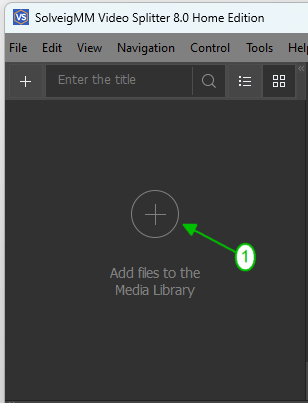
3. Open one or more files by clicking the "Add files to the library" button and by dragging them into the program window from the folder or through the "File - Add multimedia files" menu.
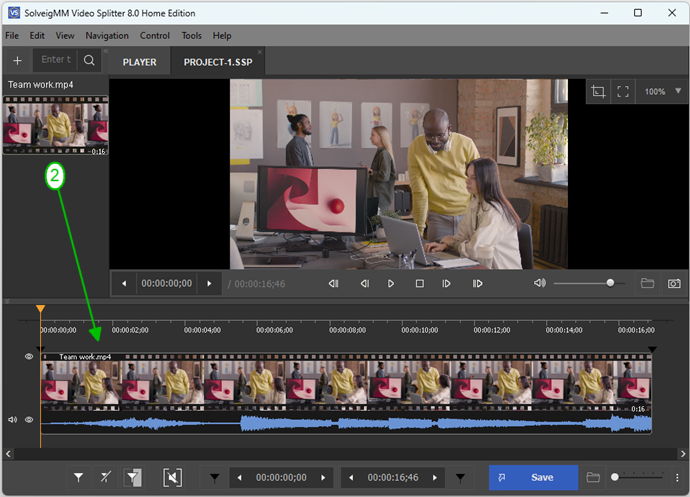
4. Drag one file or several files onto the timeline.
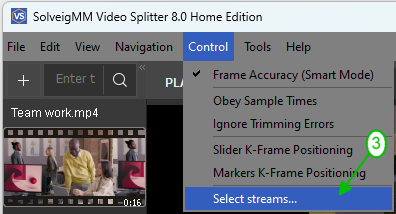
5. In the "Control" menu select the "Select streams ..." option.
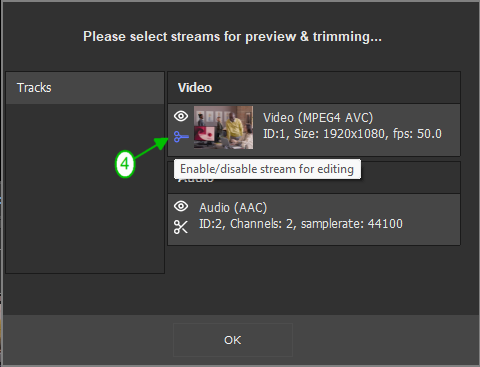
6. Mark the stream you want to keep by unchecking all the other streams.
7. Select a fragment to save if necessary. Mark the beginning and the end of a segment to rip audio from video.
Move the slider to the start/end position of the segment, then click the "Add Marker" button.
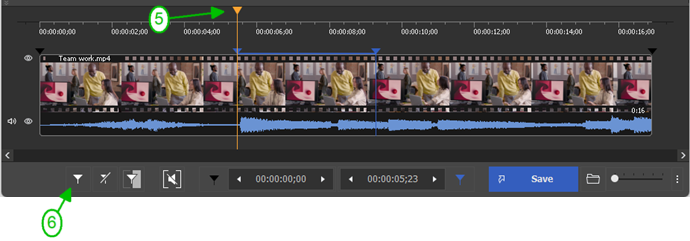
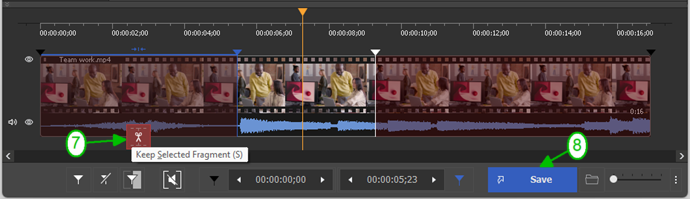
8. To rip audio from videos move the cursor over the area between the markers and click the button with the scissors (“Trim”), do it for all fragments you would like to be deleted. Click the "Save" button or the keyboard shortcut Ctrl + T to start the editing process. You can also select the function “Save file as ...” in the menu group “File” and confirm the action by clicking the button “Save”.
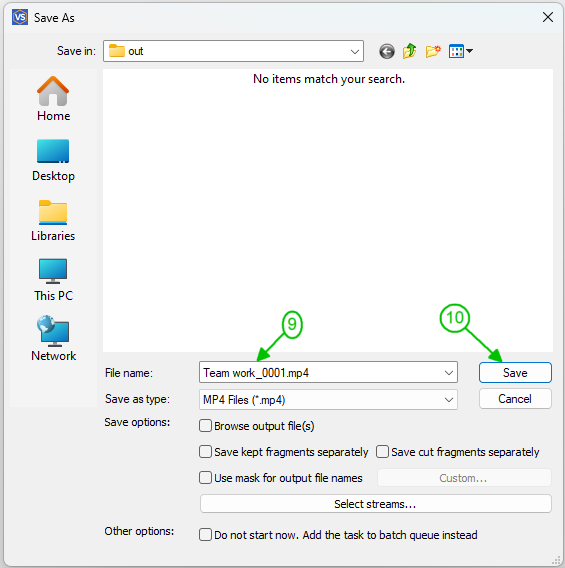
9. In the opened "Save As" window set the name for output file, folder for saving and click the "Save" button.
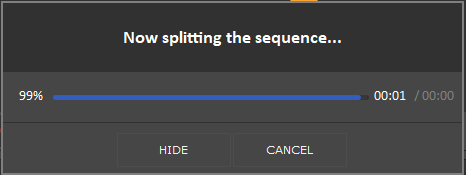
The editing progress will be shown.
When the editing will be completed, click the "Browse output" button to view your output file.
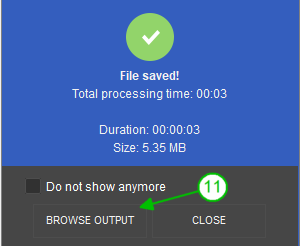
After these simple steps for getting audio from video the editing process will begin. When it finishes you will be prompted to open the folder with the resulting file.
This way you can extract audio from MP4, AVI, WMV, ASF, MPG, VOB, MPEG and other video file formats.
There is also a second option for extracting audio from an MP4 file. You can change the saving parameters in the "Save as ..." window. To do this select the “Audio only” file type filter. But here you need to take into account that such an extraction method will save the audio without a specific container. When an MP3 is saved in this way players will run the resulting file with no problems. But not all the players will be able to open the files if you use this save method for other formats. This is the main difference between this method of ripping audio from video from the one described above.
Watch how to rip audio from video with the Video Splitter

Frequently Asked Questions
How do I extract audio from a video file in Windows 10?
How can I download the audio from a YouTube video?
How do I extract audio from a video on my laptop?
Try to extract the sound from a video with our program today to make sure that ripping audio from video is quick and easy! And tomorrow if you need to extract audio from videos you will not have to think about how to do it and what program to use.
- https://www.solveigmm.com/en/howto/how-to-remove-audio-track-from-media-file-with-video-splitter
- https://www.solveigmm.com/en/howto/how-to-edit-wma-file-with-video-splitter
 Olga Krovyakova is the Technical Support Manager in Solveig Multimedia since 2010.
She is the author of many text and video guidelines of company's products: Video Splitter, HyperCam, WMP Trimmer Plugin, AVI Trimmer+ and TriMP4.
She works with programs every day and therefore knows very well how they work. Сontact Olga via support@solveigmm.com if you have any questions. She will gladly assist you!