- Welcome to Solveig Multimedia Forum - Get help for video editing software.

Recent posts
#21
HyperCam / HyperCam 7 - New features for ...
Last post by Olga Krovyakova - February 12, 2026, 11:20:51 AMSolveigMM is excited to unveil HyperCam 7, a significant upgrade designed to revolutionize your screen recording experience. Featuring a completely redesigned interface for smoother workflows and faster access to key features, HyperCam 7 also boasts Intel QuickSync hardware acceleration for up to 4K video capture and improved performance. Streamline your process even further with seamless integration for immediate online editing and built-in file-sharing, making collaboration and review effortless. Experience faster, more creative, and user-friendly screen recording with HyperCam 7. See the whole list of new features and changes.
Read our press release to discover more. Download HyperCam 7 and try it today!
HyperCam 7 updated tutorial is available here.
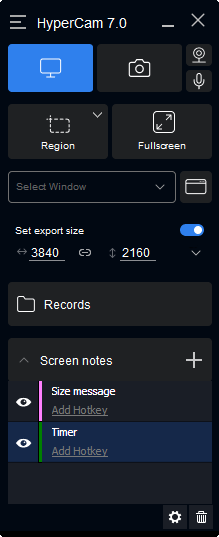
Read our press release to discover more. Download HyperCam 7 and try it today!
HyperCam 7 updated tutorial is available here.
#22
Diskussion der Produkte auf Deutsch / HyperCam 7 – neue Funktionen f...
Last post by Olga Krovyakova - February 12, 2026, 10:26:05 AMSolveigMM freut sich, HyperCam 7 vorstellen zu dürfen, ein bedeutendes Upgrade, das Ihre Bildschirmaufzeichnung revolutionieren wird. Mit einer komplett überarbeiteten Benutzeroberfläche für reibungslosere Arbeitsabläufe und schnelleren Zugriff auf wichtige Funktionen bietet HyperCam 7 außerdem Intel QuickSync-Hardwarebeschleunigung für Videoaufnahmen mit bis zu 4K-Auflösung und verbesserte Leistung. Optimieren Sie Ihre Arbeitsabläufe noch weiter durch nahtlose Integration für sofortige Online-Bearbeitung und integrierte Dateifreigabe, wodurch Zusammenarbeit und Überprüfung zum Kinderspiel werden. Erleben Sie mit HyperCam 7 eine schnellere, kreativere und benutzerfreundlichere Bildschirmaufzeichnung. Sehen Sie sich die gesamte Liste der neuen Funktionen und Änderungen an.
Lesen Sie unsere Pressemitteilung, um mehr zu erfahren. Laden Sie HyperCam 7 herunter und probieren Sie es noch heute aus!
Lesen Sie unsere Pressemitteilung, um mehr zu erfahren. Laden Sie HyperCam 7 herunter und probieren Sie es noch heute aus!
#23
General Discussion / Feedback: The software is so g...
Last post by hani - February 09, 2026, 09:02:37 AMHello i want to say thank you for the great software but i have 1 suggestion to make it perfect , i edit big videos and sometimes i want to skip through the video fast in 2x speed while the video playing and previewing the change in real time , currently the only close option to that is the "jump to the next K frame" button but sometimes it skip 5 seconds ahead and skip parts of the video im searching for , there is another key that you enable in the options that jump by default 2 minutes and i can adjust it to 1sec (like i want) but the problem when i hold the key it skip fast through the video without jumping (like the kframe button) but i don't see the video preview changes in real time until i stop holding it, so it would be great if you can make this button when i hold it i see the video preview change in real time or make another key/button for this purpose (the target is to play the video in a specific speed while holding a key and previewing the video in real time a similar behavior i use in mpc-hc video player put the arrow key to jump small like in the picture and hold the arrow key to skip forward fast while previewing the changes in real time) also what great about it i can jump backward fast unlike the kframe which i sometimes need to press multiple times backward to skip the previous k frame
if you can add this option the software will be perfect ! thanks for your hard work!
pic : https://imgur.com/a/YjRnEAa

if you can add this option the software will be perfect ! thanks for your hard work!
pic : https://imgur.com/a/YjRnEAa
#24
General Discussion / Re: Merry Christmas and Happy ...
Last post by Olga Krovyakova - January 27, 2026, 08:00:52 AMHello,
Thank you for your interest.
The next New Year sale will be available in the December 2026 and January 2027. We hold on promotions on main events, dates and holidays.
The next promotion we suppose to be in February on Valentine's day.
If you need the software earlier, please contact us at support@solveigmm.com and specify what our product you are interested in.
Thank you for your interest.
The next New Year sale will be available in the December 2026 and January 2027. We hold on promotions on main events, dates and holidays.
The next promotion we suppose to be in February on Valentine's day.
If you need the software earlier, please contact us at support@solveigmm.com and specify what our product you are interested in.
#25
General Discussion / Re: Merry Christmas and Happy ...
Last post by tillertransport - January 27, 2026, 02:29:53 AMIt's a shame the discount promotion has ended. When will the New Year's discount promotion be available?
#26
Обсуждение продуктов на Русском языке / Re: Поддержка кодека AV1
Last post by max88888 - January 26, 2026, 04:46:48 PMДоброго времени суток! Ольга, проверил, работает без ошибок. Спасибо большое за работу и программу.
#27
Обсуждение продуктов на Русском языке / Re: Поддержка кодека AV1
Last post by Olga Krovyakova - January 26, 2026, 10:13:52 AMДобрый день, max88888!
Проблемы при проигрывании файла с AV1 кодеком и с рассинхронизацией видео/звука после редактирования, описанные вами, исправили в версии по ссылке ниже, попробуйте ее использовать, пожалуйста:
https://drive.google.com/file/d/1WjtO4J5_cRlT9QTtP26MS9o3i1Ghduku/view?usp=sharing
Сообщите о вашем результате.
Заранее спасибо!
Проблемы при проигрывании файла с AV1 кодеком и с рассинхронизацией видео/звука после редактирования, описанные вами, исправили в версии по ссылке ниже, попробуйте ее использовать, пожалуйста:
https://drive.google.com/file/d/1WjtO4J5_cRlT9QTtP26MS9o3i1Ghduku/view?usp=sharing
Сообщите о вашем результате.
Заранее спасибо!
#28
Обсуждение продуктов на Русском языке / Re: Поддержка кодека AV1
Last post by Olga Krovyakova - January 21, 2026, 09:51:16 AMБольшое спасибо за присланные файлы!
Все проблемы воспроизвели на нашей стороне.
Как выйдет исправленная рабочая версия, напишем в этой теме.
Все проблемы воспроизвели на нашей стороне.
Как выйдет исправленная рабочая версия, напишем в этой теме.
#29
Обсуждение продуктов на Русском языке / Re: Поддержка кодека AV1
Last post by max88888 - January 21, 2026, 08:30:05 AMОригинал видео - https://disk.yandex.ru/d/xe--E87StDVpTw
Сделанный отрезок - https://disk.yandex.ru/d/swisW2oShY5-KA
Проект - https://disk.yandex.ru/d/1K9fN9Uq2HLqSQ
Сделанный отрезок - https://disk.yandex.ru/d/swisW2oShY5-KA
Проект - https://disk.yandex.ru/d/1K9fN9Uq2HLqSQ
#30
Обсуждение продуктов на Русском языке / Re: Поддержка кодека AV1
Last post by Olga Krovyakova - January 21, 2026, 08:18:06 AMЗдравствуйте, max88888!
Спасибо за ваш ответ.
Могли бы вы, пожалуйста, прислать нам образец вашего оригинального файла, с которым возникает данные проблемы?
Также пришлите, пожалуйста, файл проекта от Video Splitter (выберите интервалы для сохранения и перейдите в меню Файл / Сохранить проект как).
Можно загрузить файлы на любой удобный вам сервис передачи файлов, например, Google drive или Yandex Диск.
Спасибо за ваш ответ.
Могли бы вы, пожалуйста, прислать нам образец вашего оригинального файла, с которым возникает данные проблемы?
Также пришлите, пожалуйста, файл проекта от Video Splitter (выберите интервалы для сохранения и перейдите в меню Файл / Сохранить проект как).
Можно загрузить файлы на любой удобный вам сервис передачи файлов, например, Google drive или Yandex Диск.